3D PRINT FARM SOFTWARE
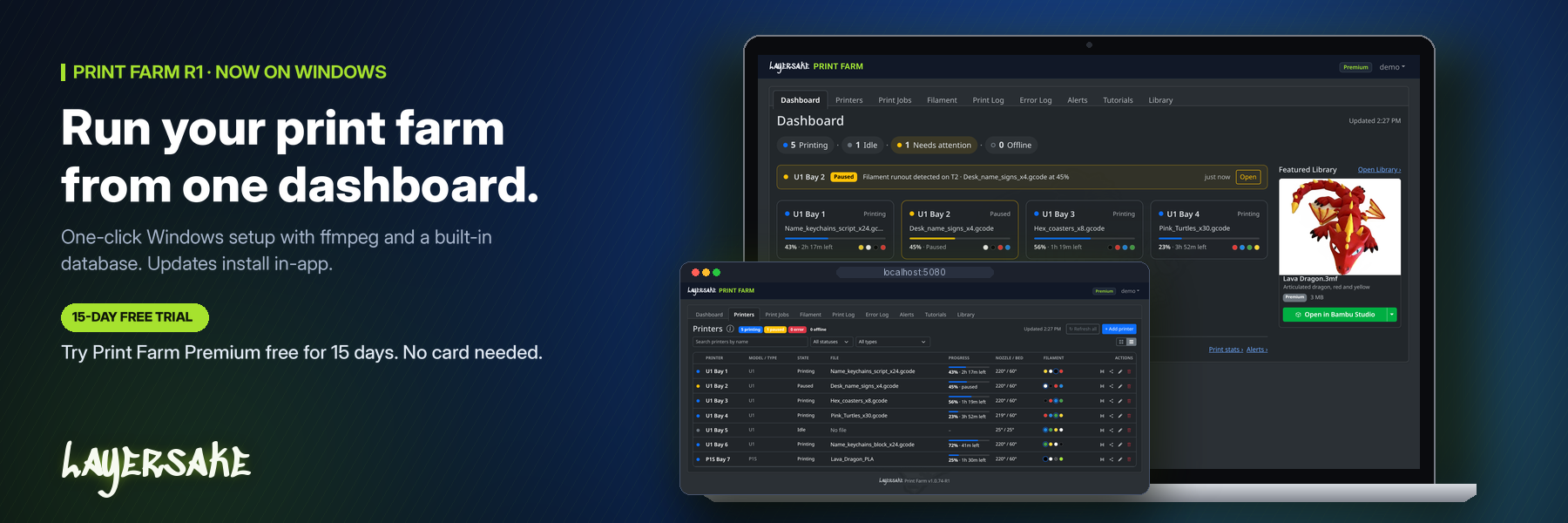
Printers, jobs, customers and history in one place. Bring the printers you already run, from Bambu Lab, Snapmaker, Creality and more, and keep every printer busy, every job on track and every customer in the loop.
Mixed fleets welcome
Bambu Lab, Snapmaker, Creality and more
Works with the printers you already own
Connects to your printers’ native interfaces
One place for the whole shop
Printers, jobs, customers and alerts together
Layersake runs its own mixed fleet of 3D printers in Woodruff, SC, and this is the software we built to run it. Every feature exists because we needed it on the shop floor: keeping printers busy, getting customer orders out the door, and knowing exactly what each machine has done.
WEB DASHBOARD
The core tools behind every job, from the first plate to the shipped order.
DASHBOARD
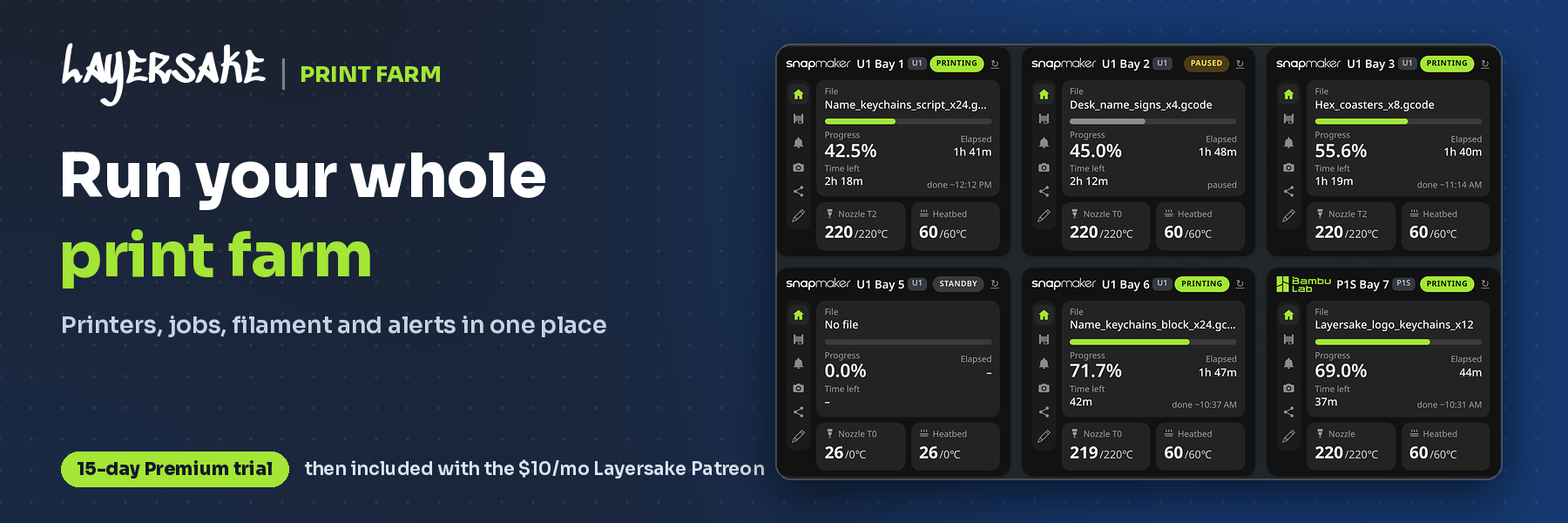
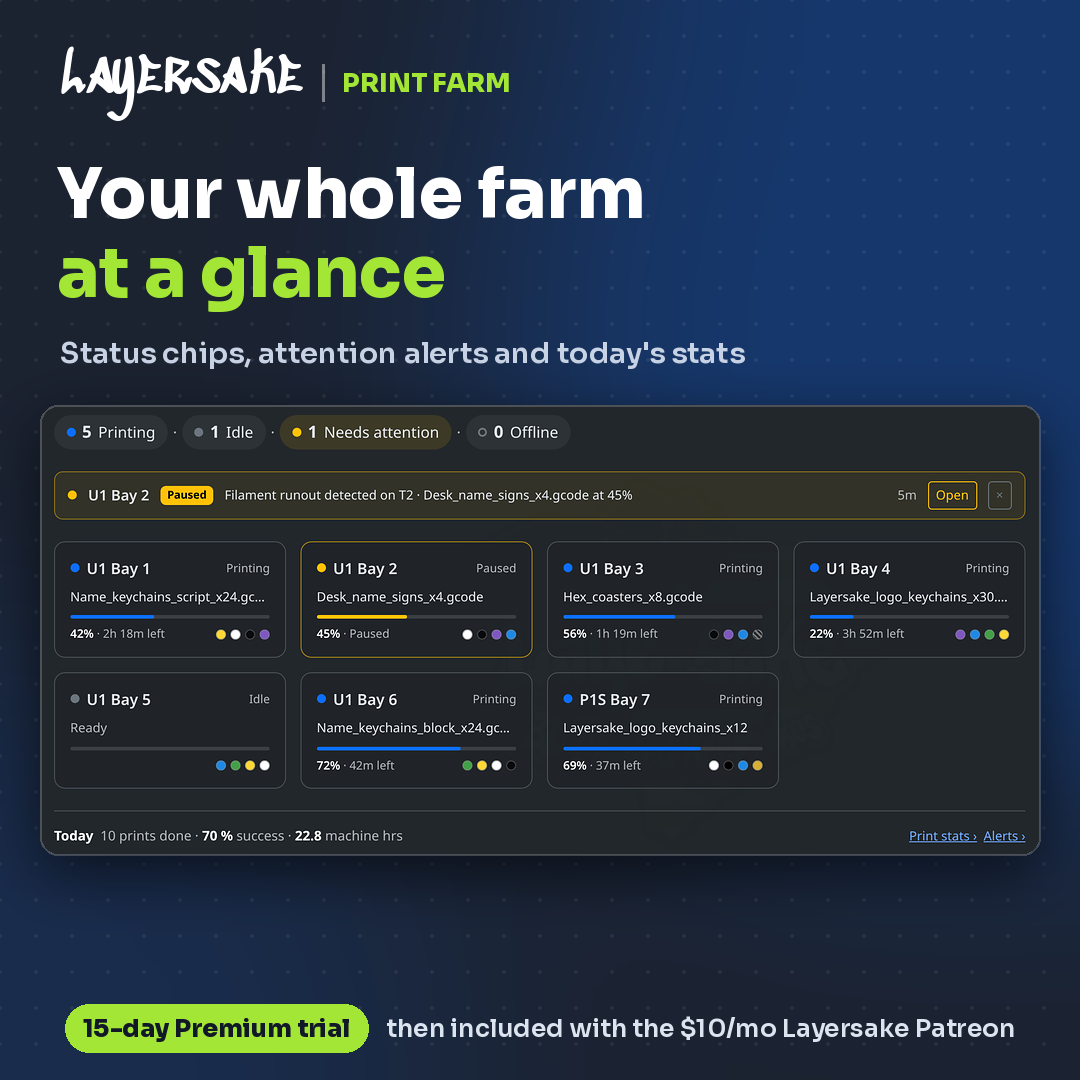
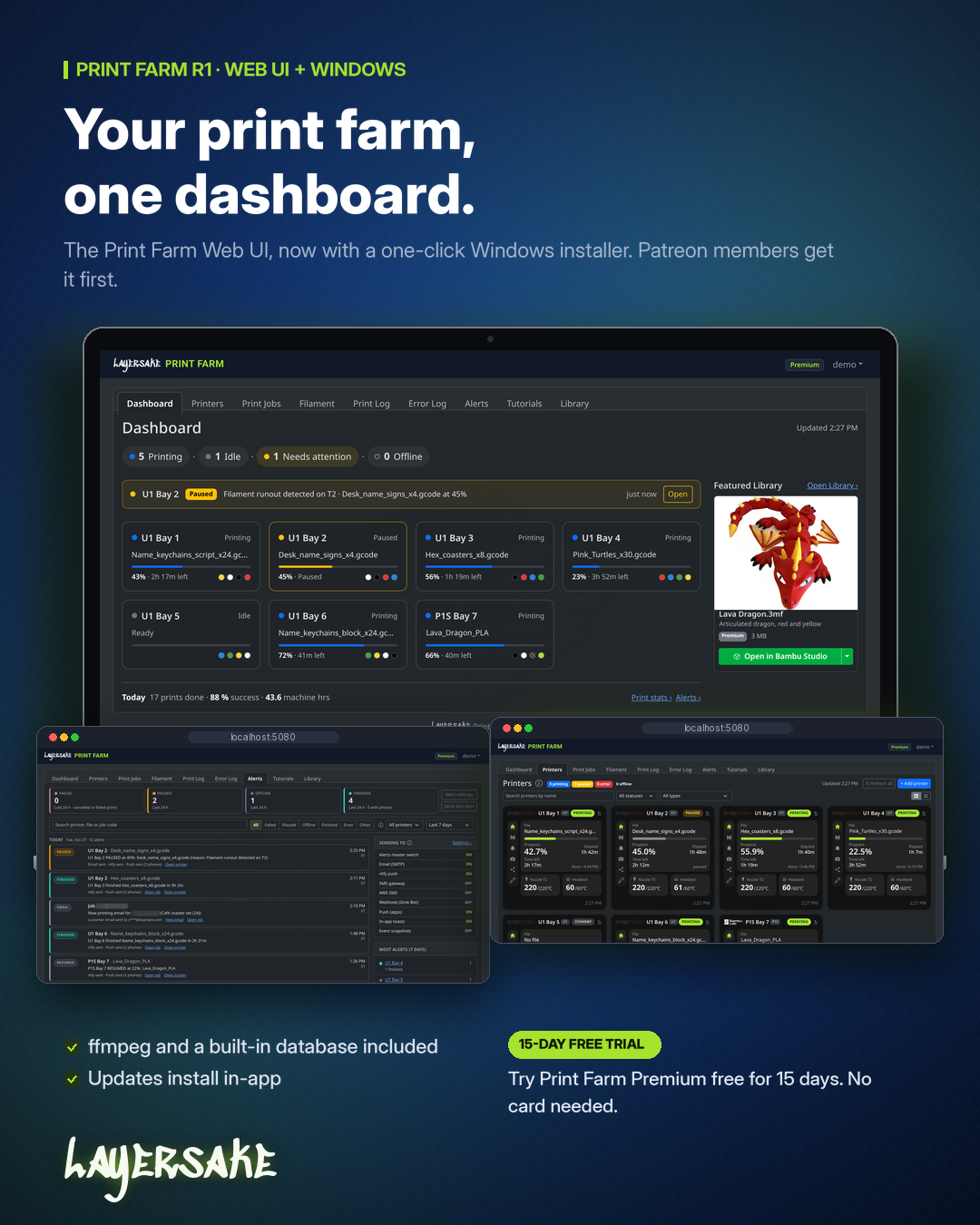
See which printers are running, idle, offline or need you, along with each one’s current file, progress and remaining time. A warning bar flags problems like a filament runout, and the day’s print count, success rate and machine hours sit underneath.
PRINTERS
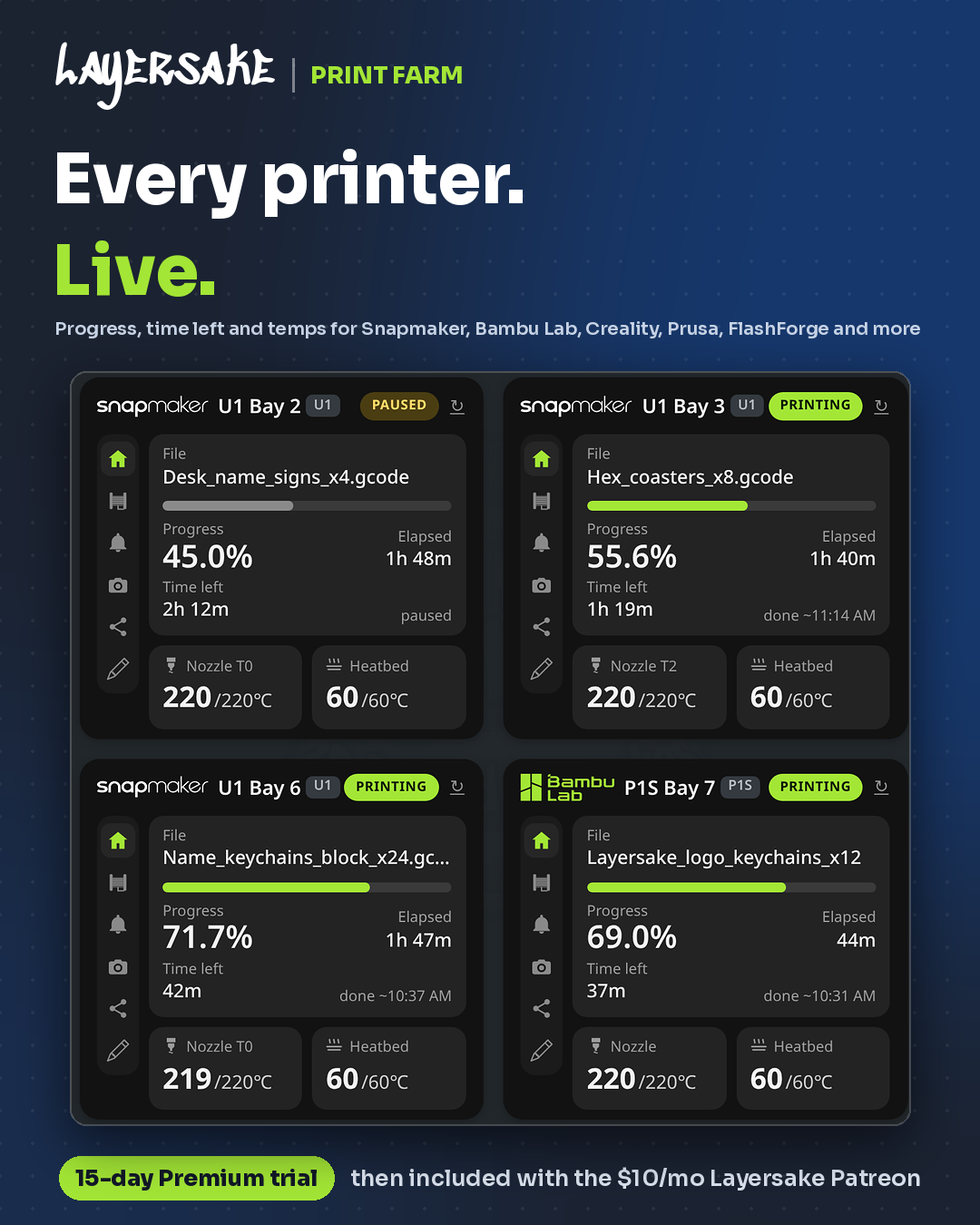
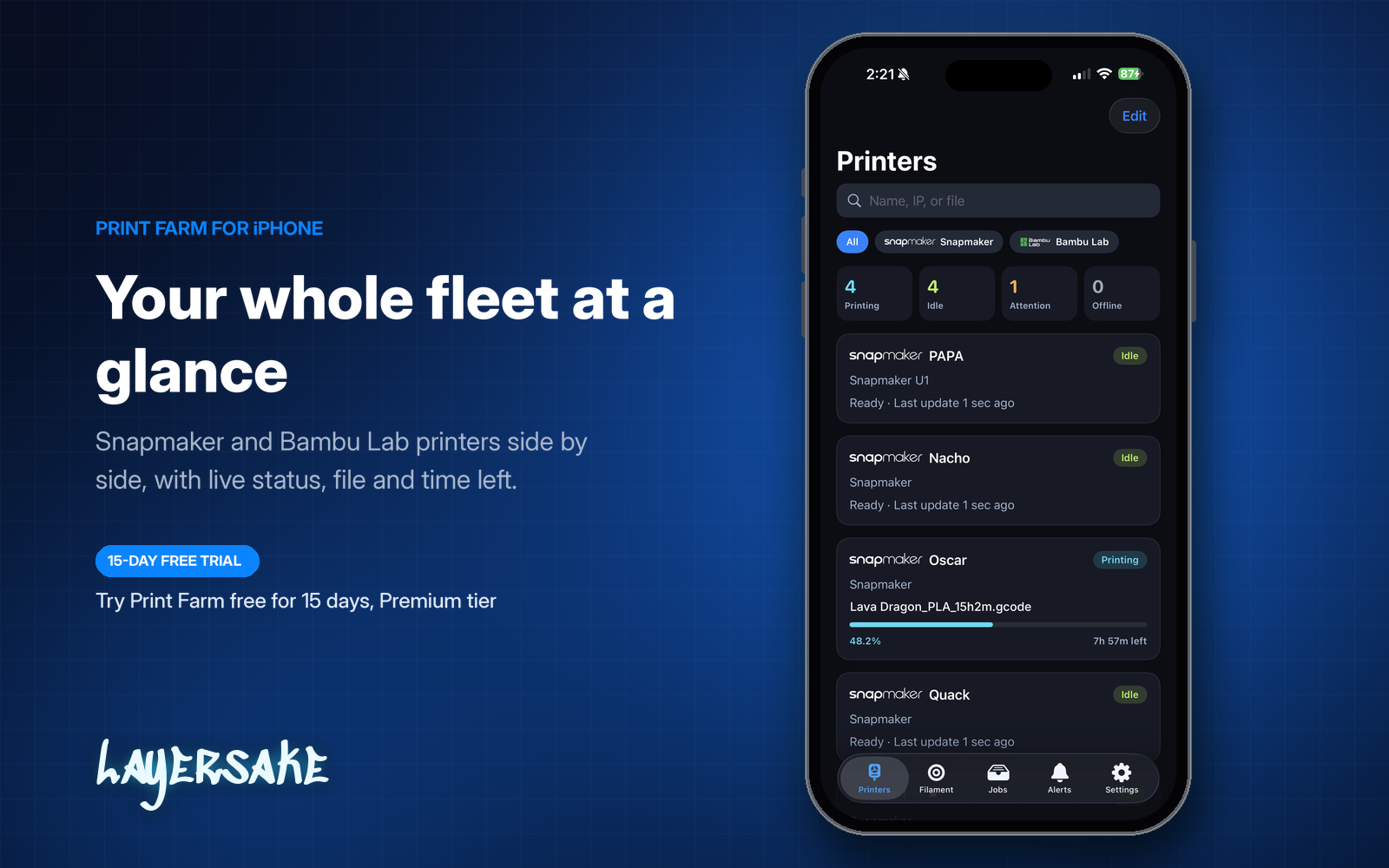
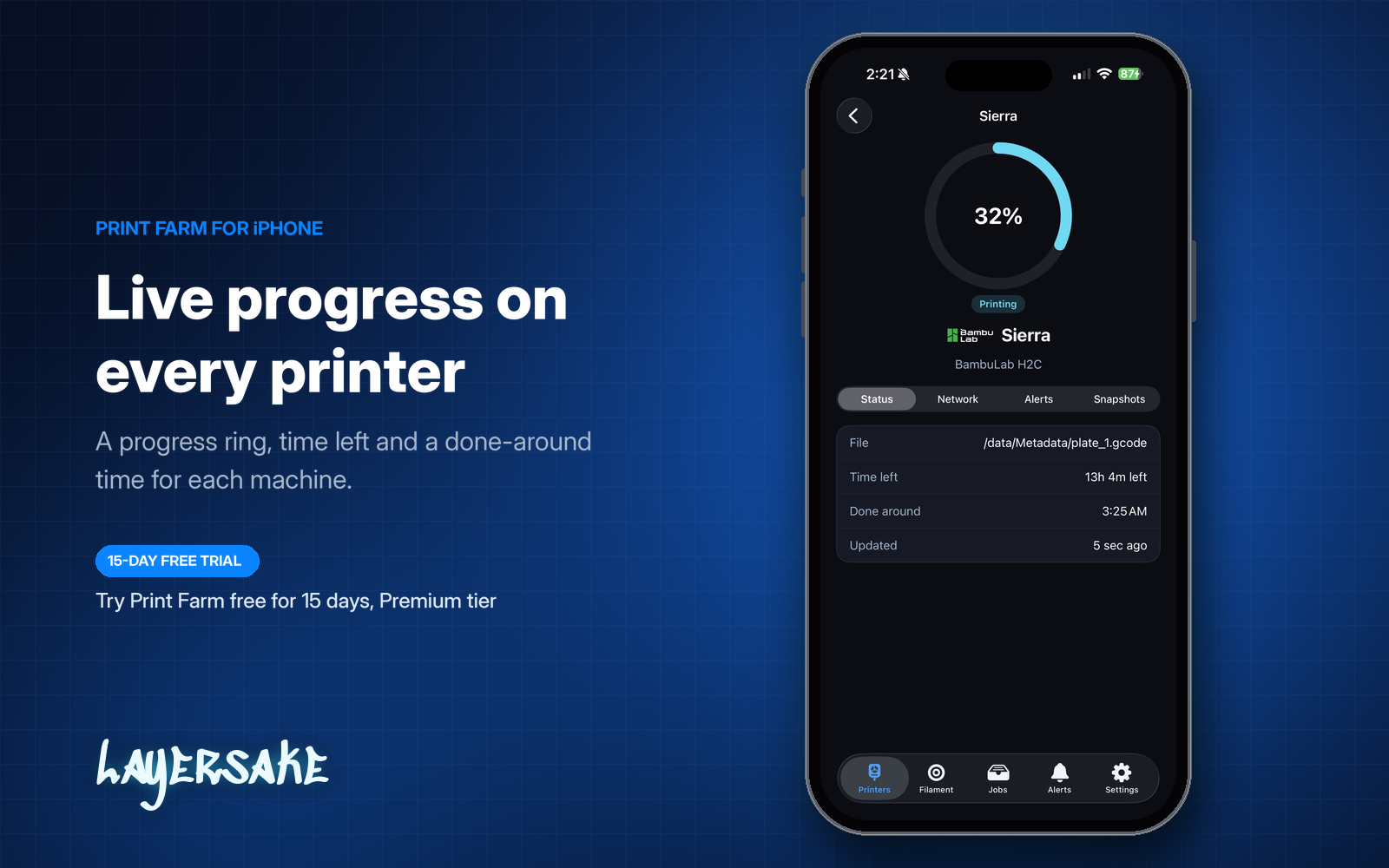
Print Farm connects to your printers’ native interfaces, so a mixed fleet from Bambu Lab, Snapmaker, Creality and more shares one screen. Each printer shows its file, progress, elapsed and remaining time, nozzle and bed temperatures and loaded filament colors.
PRINT JOBS
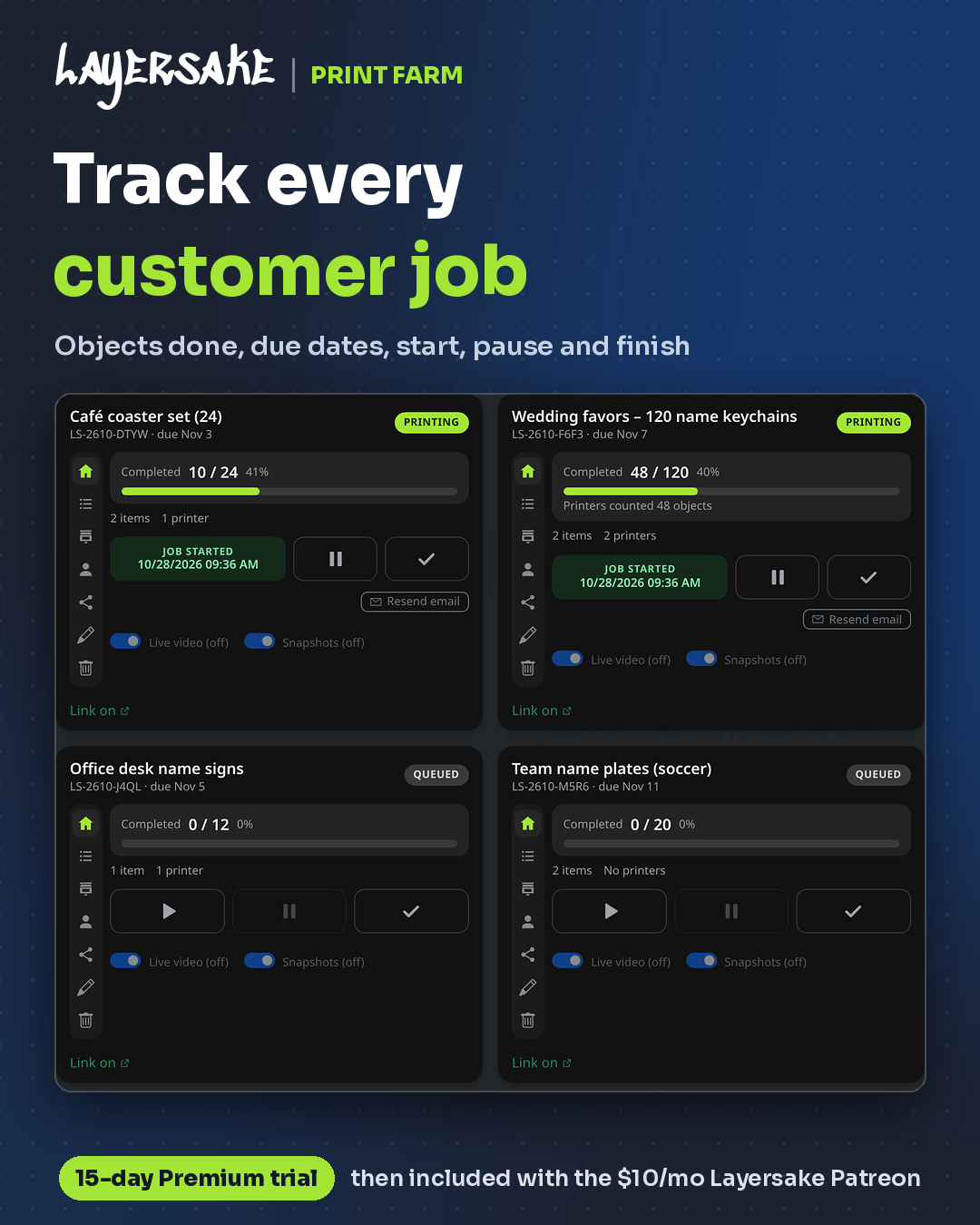
Every job gets its own job code, due date, status, quantity and notes, so nothing slips. Follow it from Quoted and Queued through Printing, Complete and Shipped.
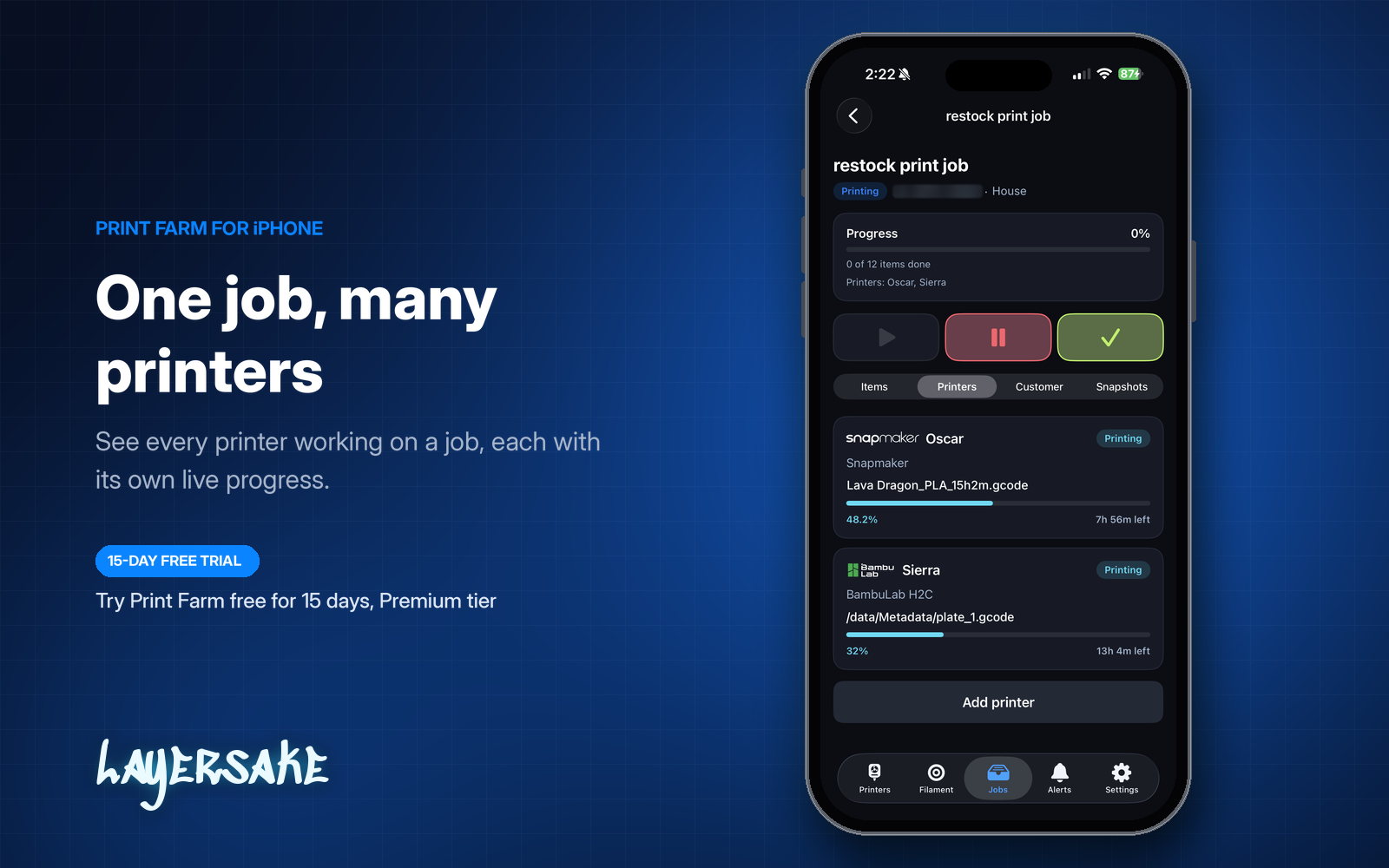
Keep customer orders separate from in-house production, and assign one job to several printers to finish large runs faster.
JOB ITEMS
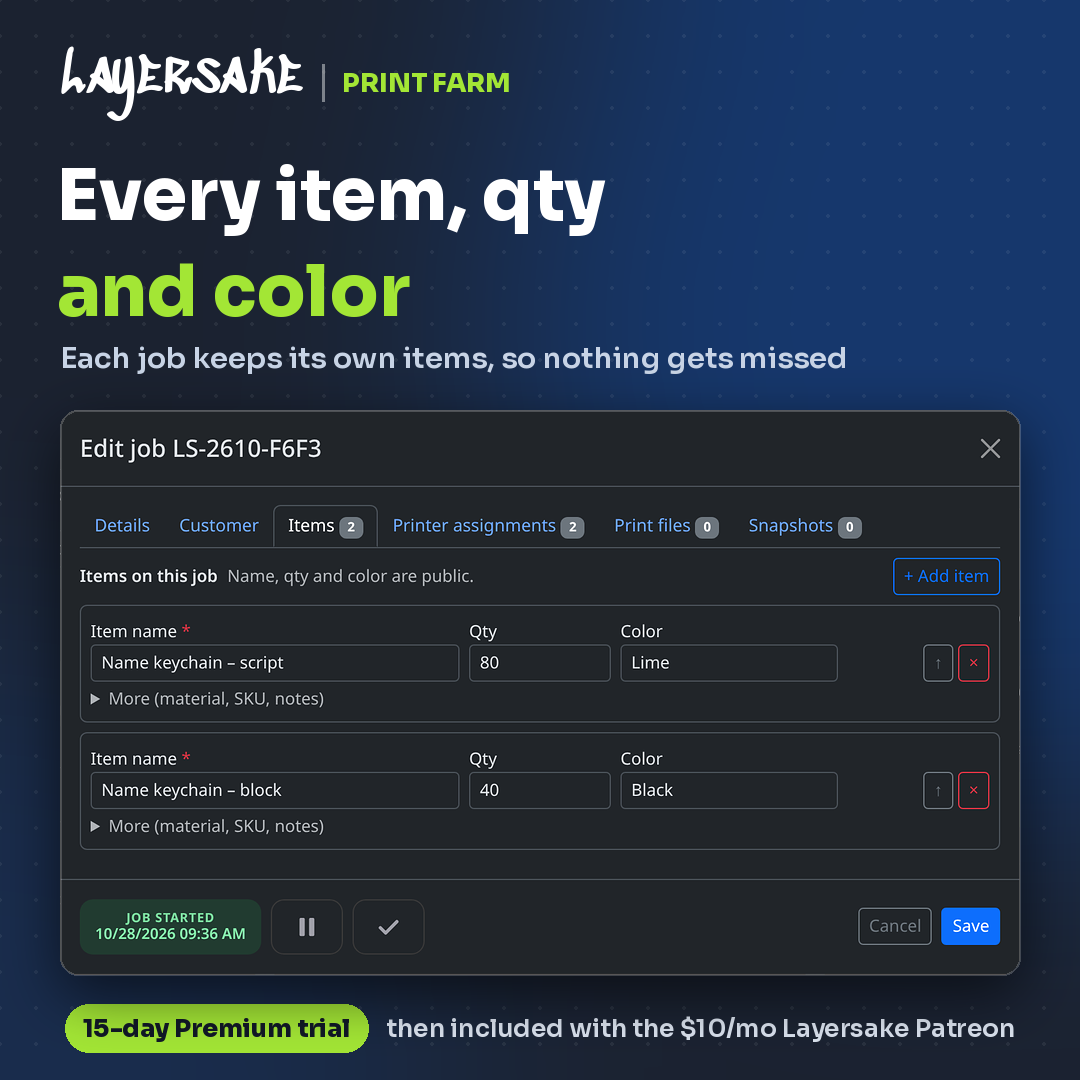
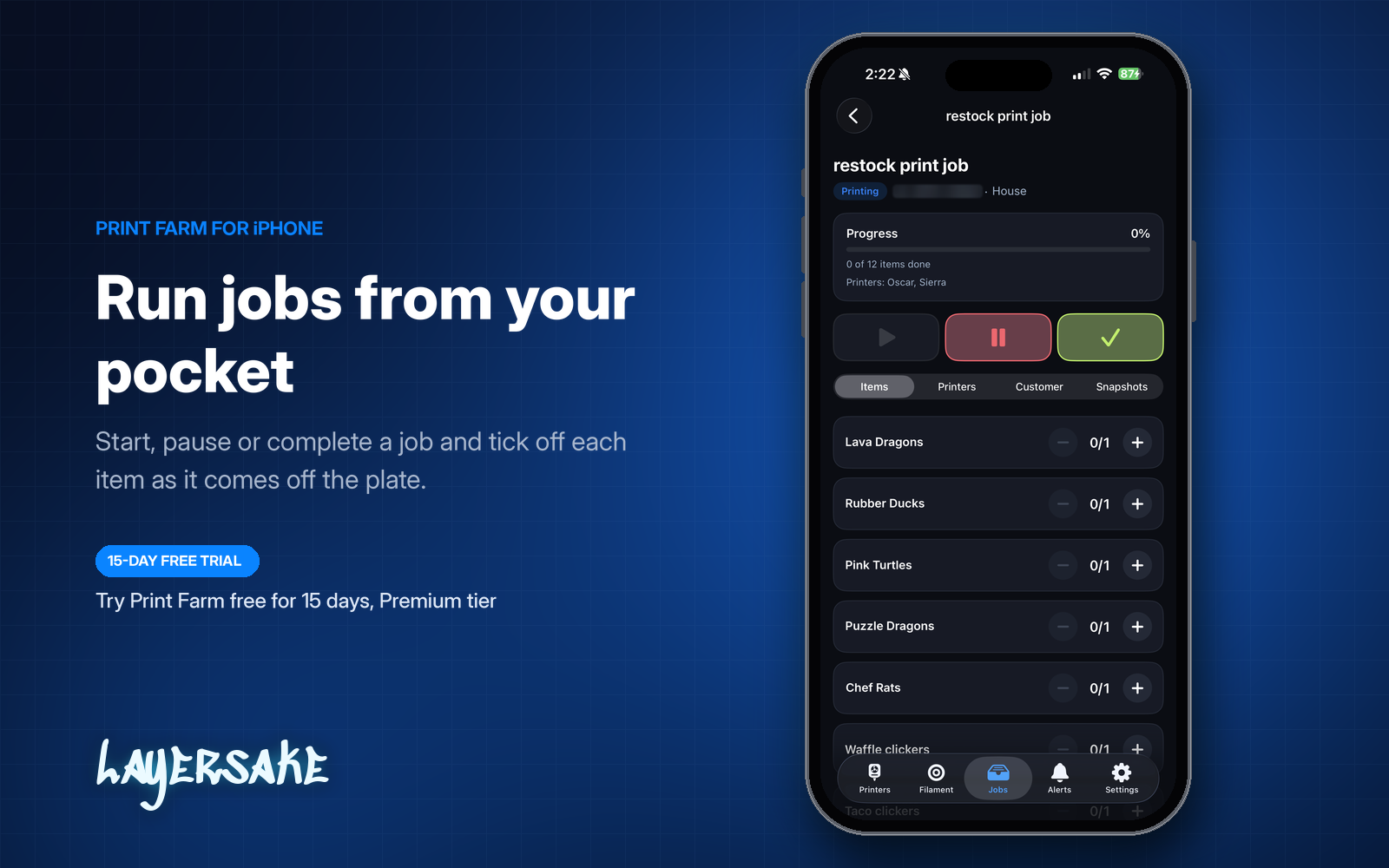
Each job holds its own list of items with a name, quantity and color, plus optional material, SKU and notes. Count items up or down as parts come off the build plate, and keep printer assignments, print files and snapshots in the same job.
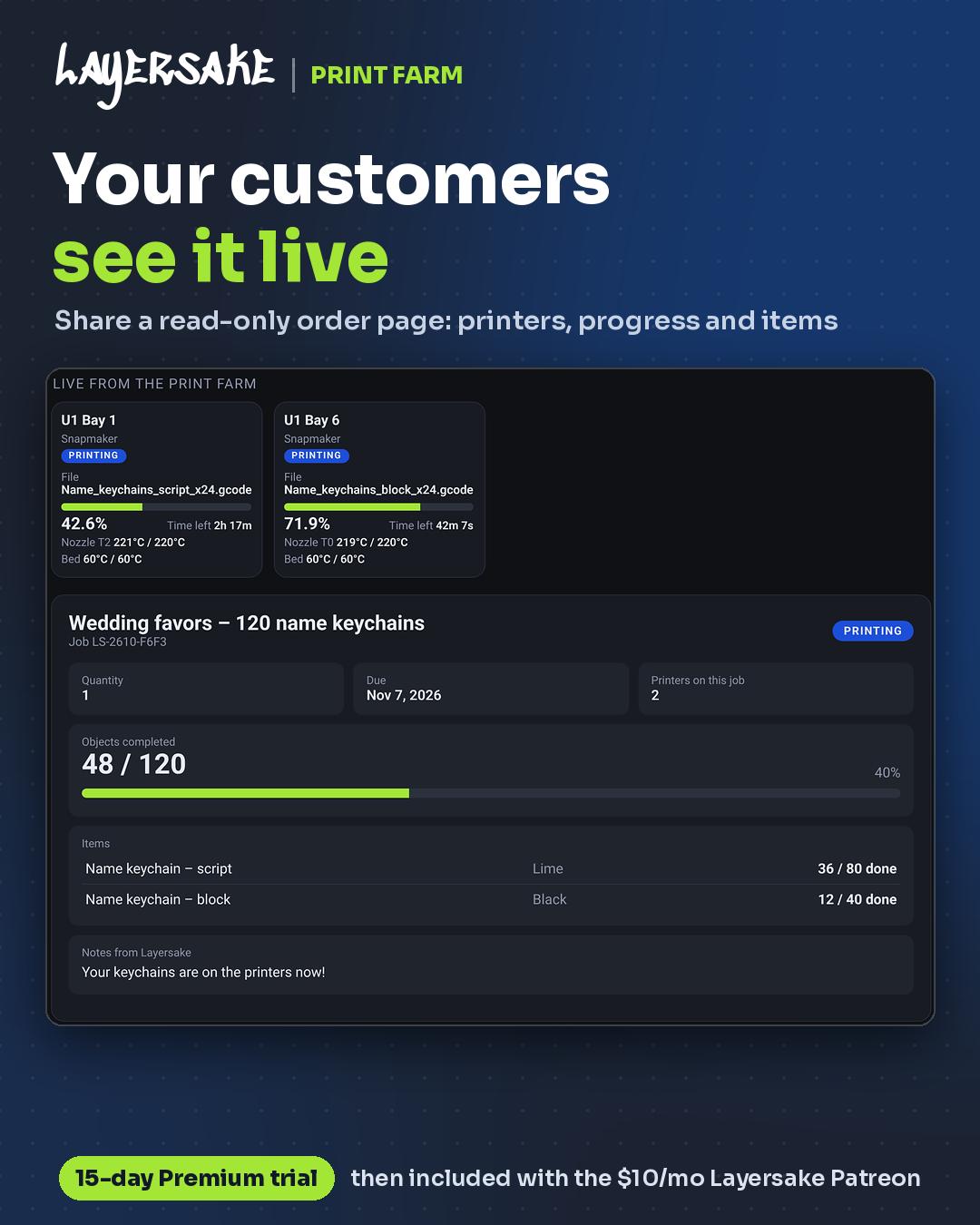
CUSTOMER ORDER PAGE
Every customer job gets its own read-only page with live progress, the items on the order, how many printers are working on it and a snapshot of the finished print.
Customers open their share link or look up their job code at Track Your Print, with no “is it done yet?” emails needed.
ALERTS
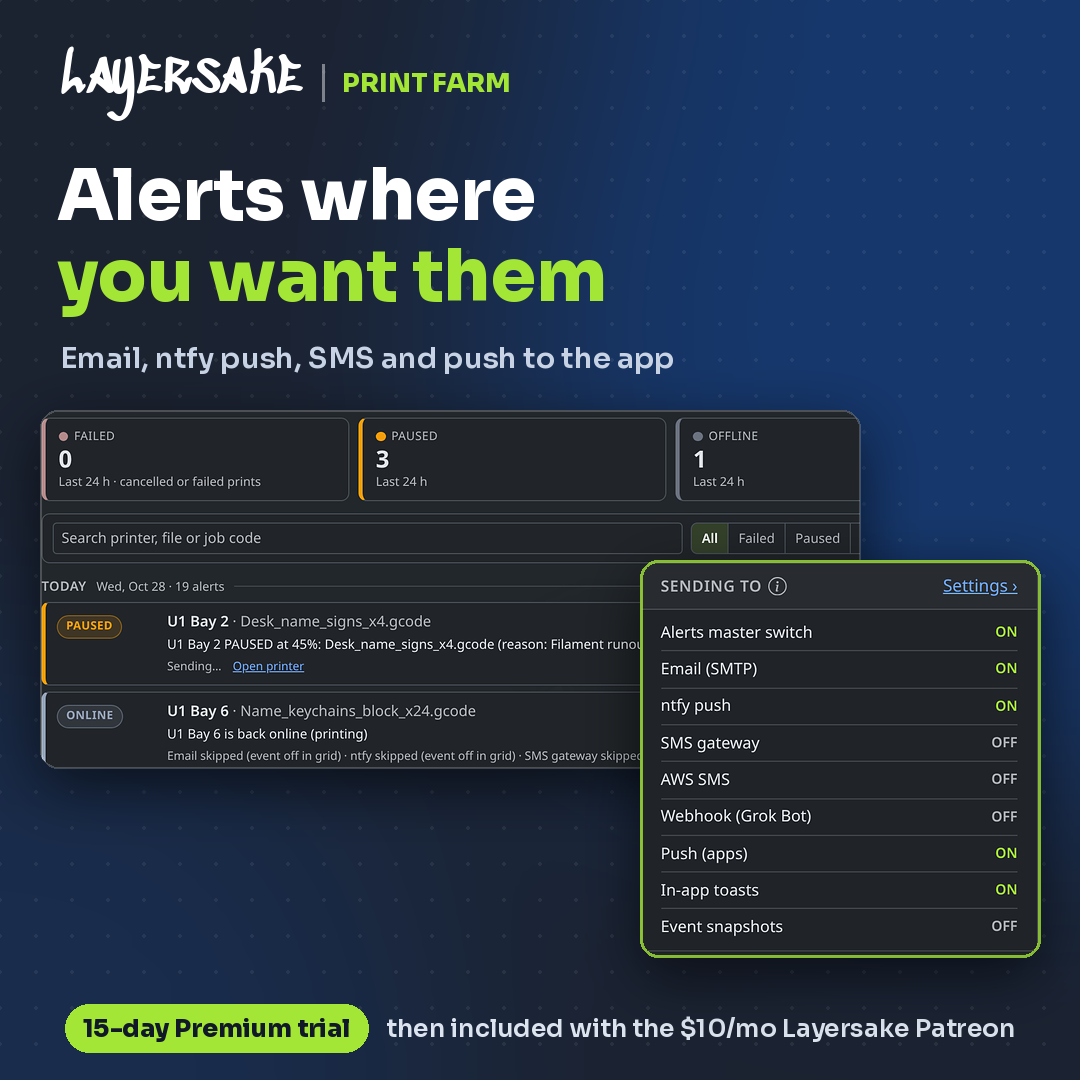
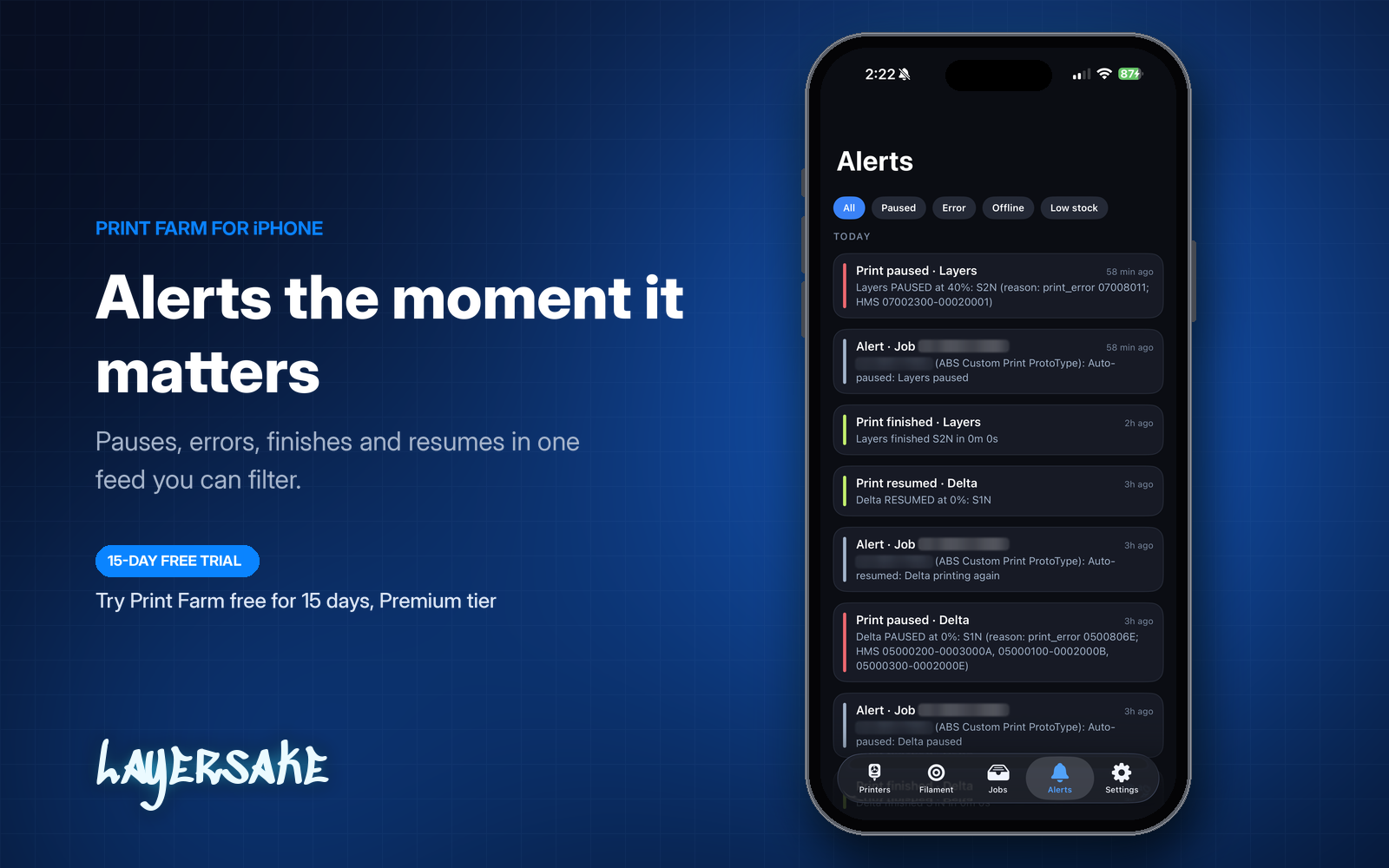
Print Farm watches every printer and tells you when a print finishes, pauses or resumes, with the printer, the file and the reason, including the printer’s own error codes.
When a printer pauses mid-job, the job pauses with it and picks back up when the printer resumes. Every alert is logged with its time and where it was delivered.
NOTIFICATIONS
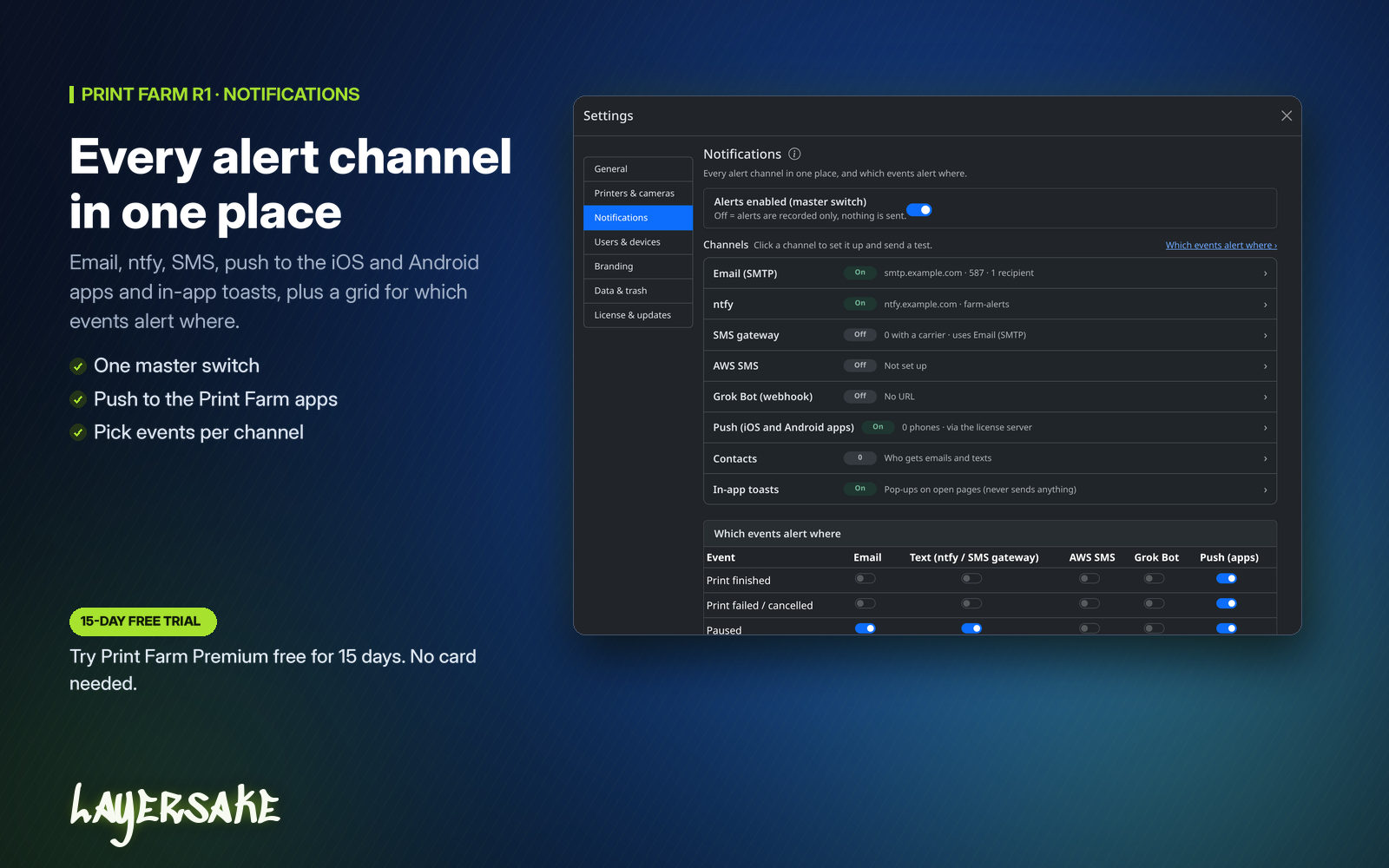
Send alerts by email, push notification (ntfy or Pushover), text message, push to the Print Farm iOS and Android apps, or in-app pop-ups, and choose which events go to which channel.
FILAMENT TRACKING
Know how much filament is on every roll and what is loaded in every printer, without guessing or doing the math by hand.
SPOOL LABELS
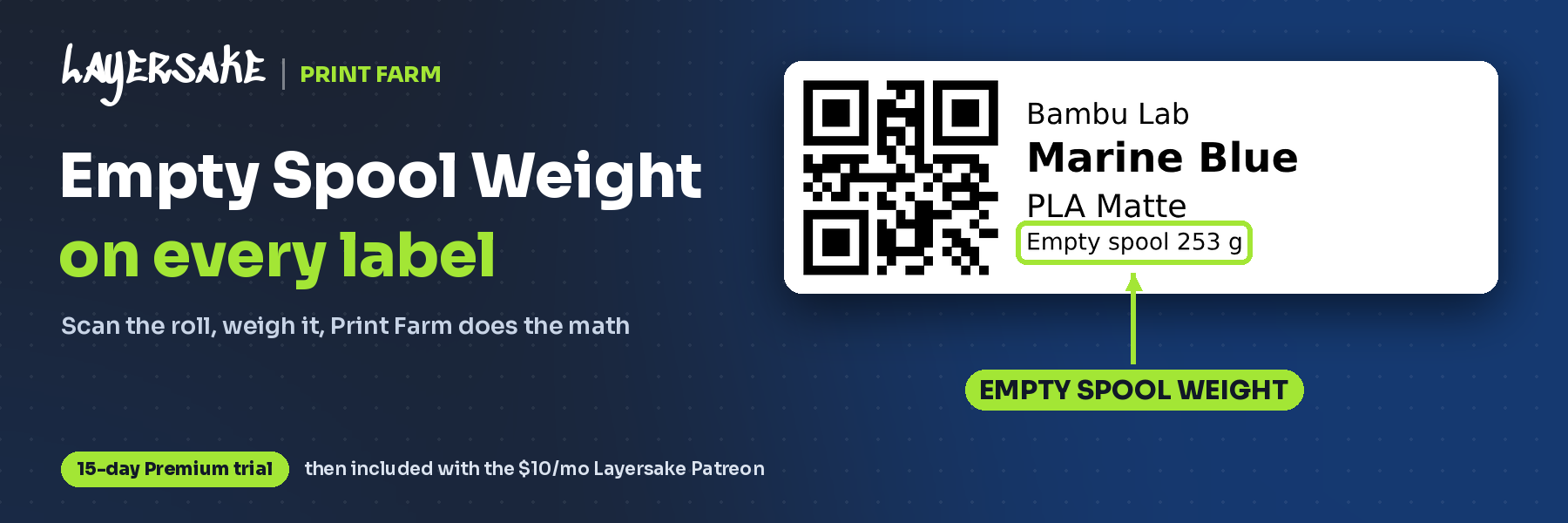
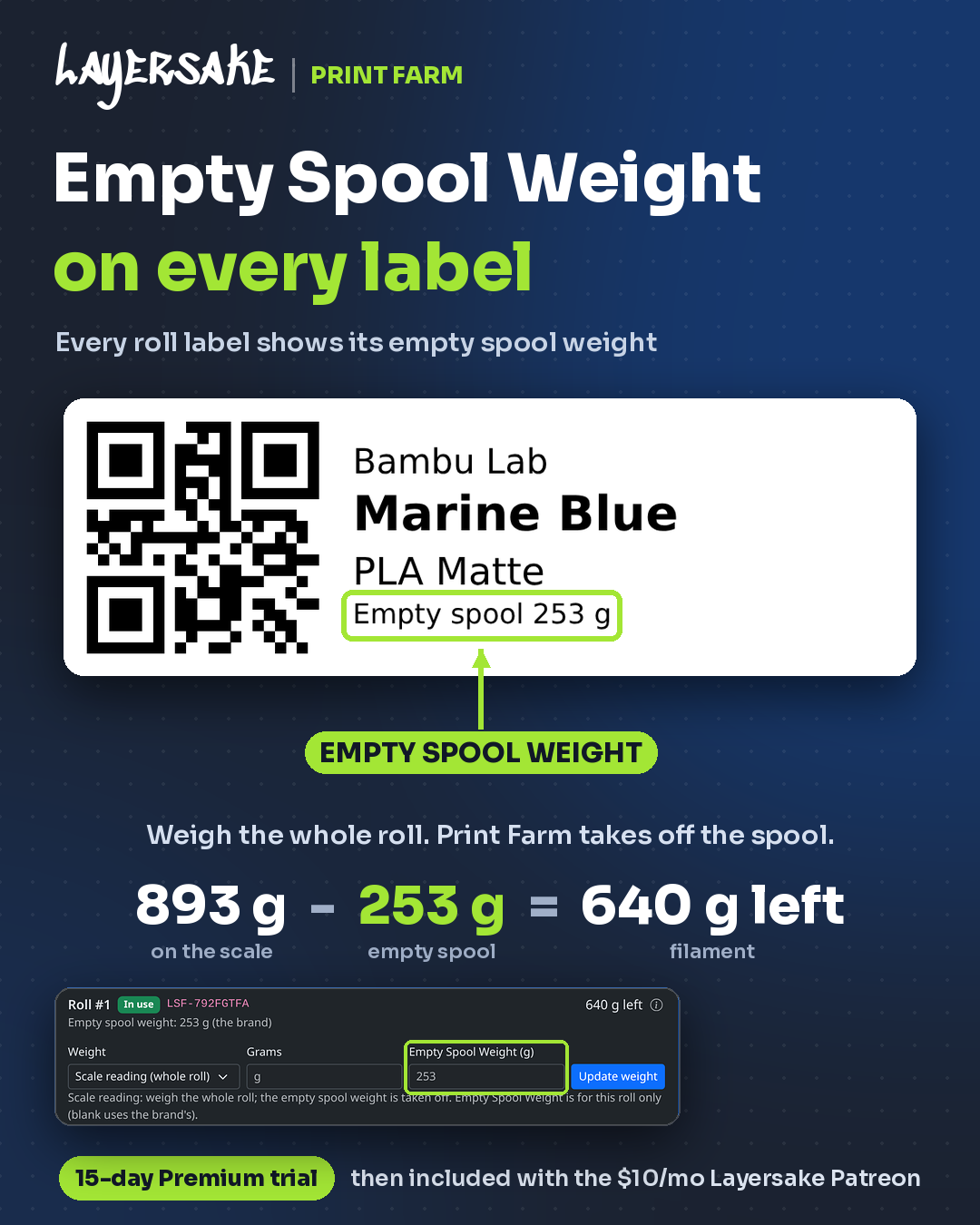
Every filament roll gets a QR label with its brand, color, material and empty spool weight. Put the whole roll on a scale and Print Farm subtracts the spool for you, so 893 g on the scale becomes 640 g of filament left.
ROLL LOOKUP
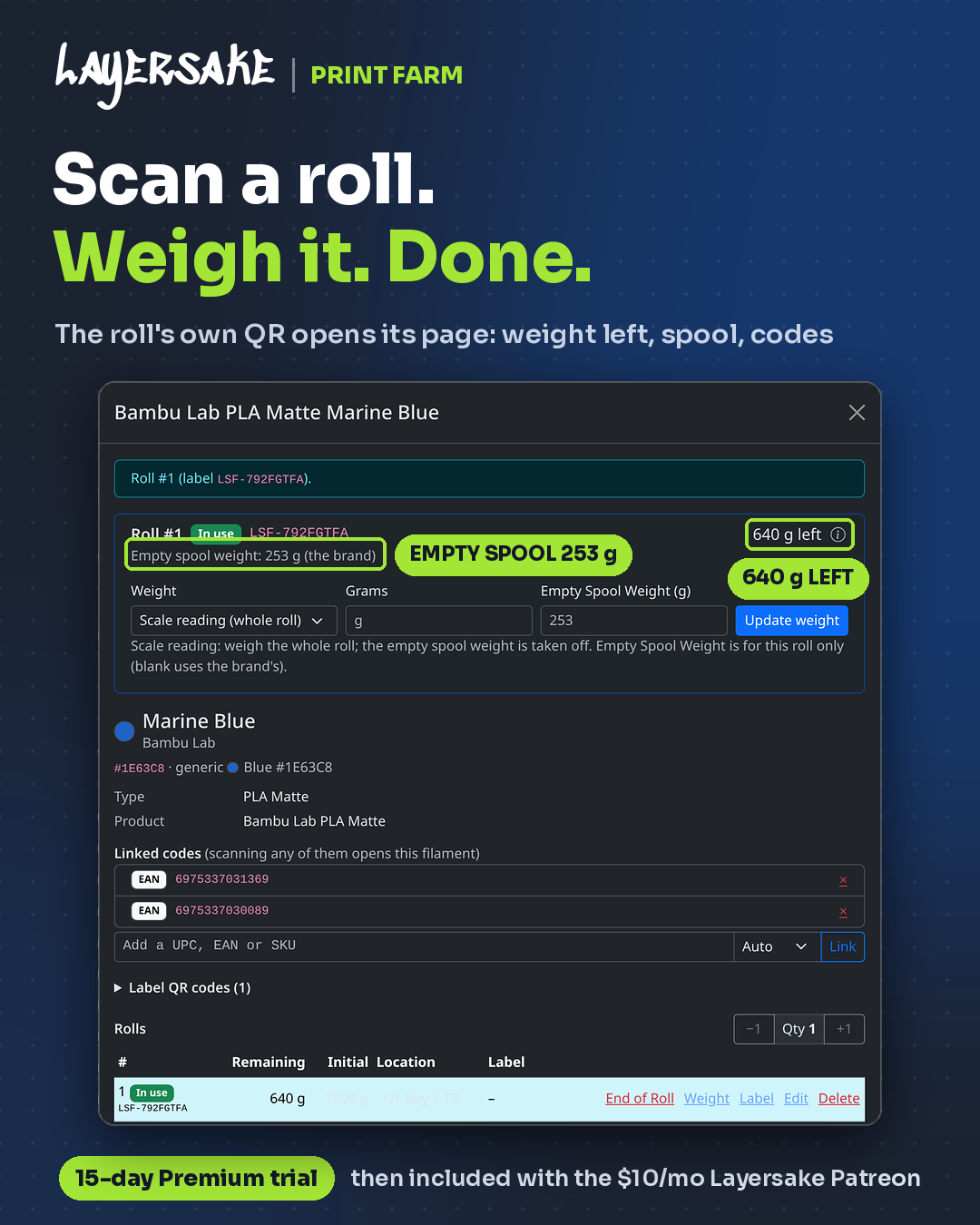
Scanning a roll’s QR label opens its own page with the grams left, the empty spool weight and a quick scale-reading update. Link the manufacturer’s UPC, EAN or SKU codes too, and scanning any of them opens the same filament.
LOADED FILAMENT
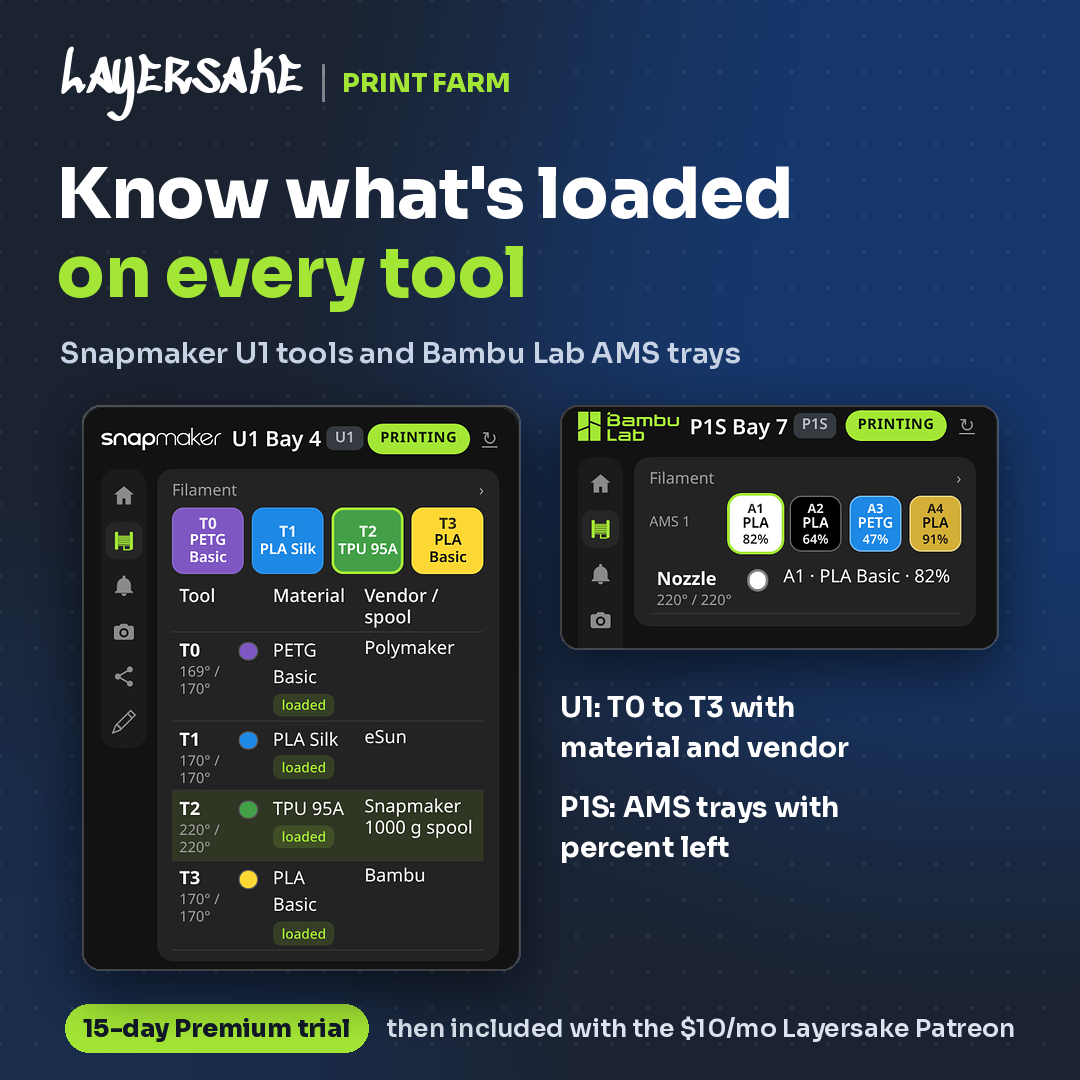
Each printer’s filament panel shows what is loaded right now. Multi-tool printers such as the Snapmaker U1 list the material, color, vendor and temperature for every tool, and Bambu Lab AMS units show each tray’s material and percent left.
PRINT LOG
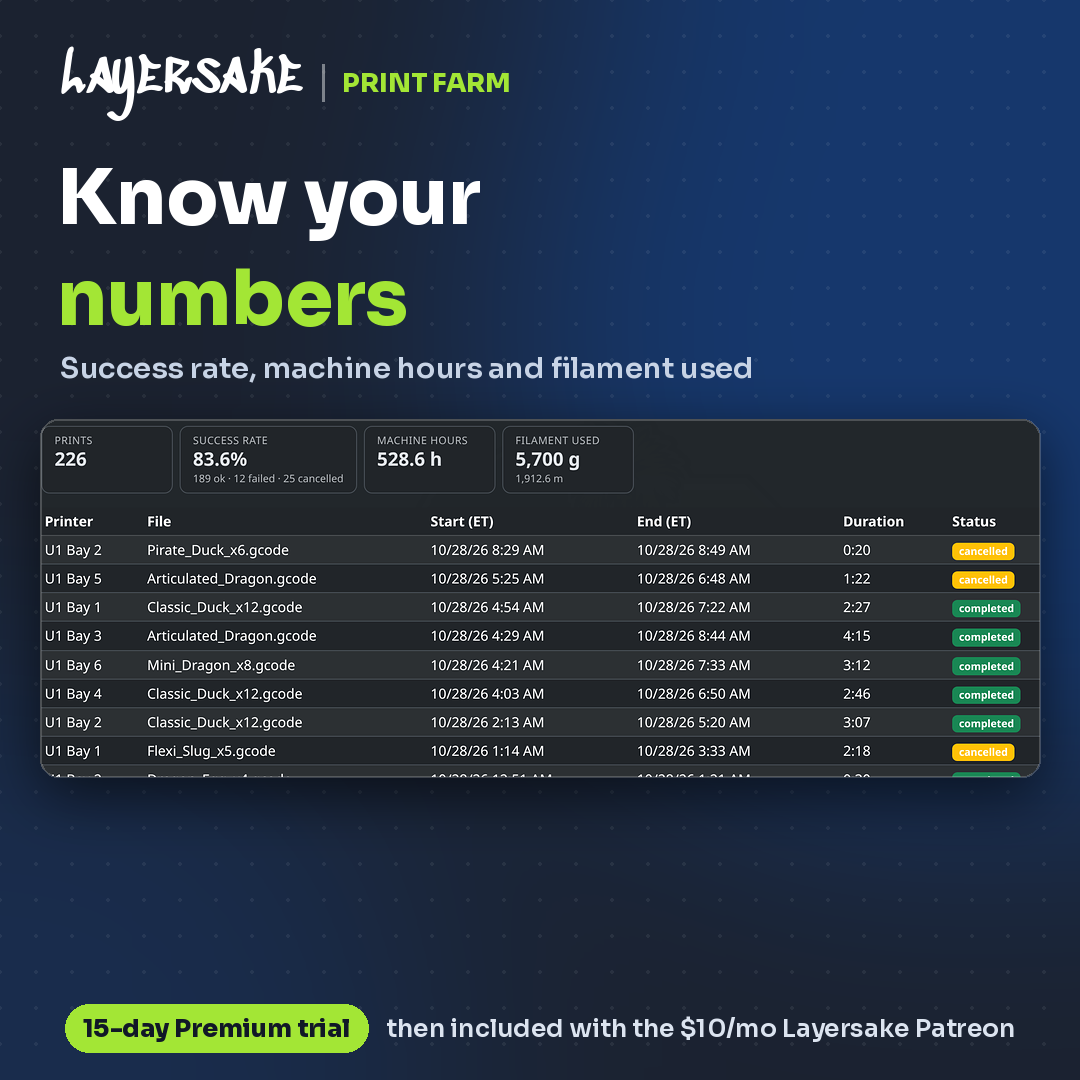
Every print is logged with its printer, file, start and end time, duration, result and filament. Filter it, export it to CSV, and see total prints, success rate, machine hours and filament used.
NEW RELEASE
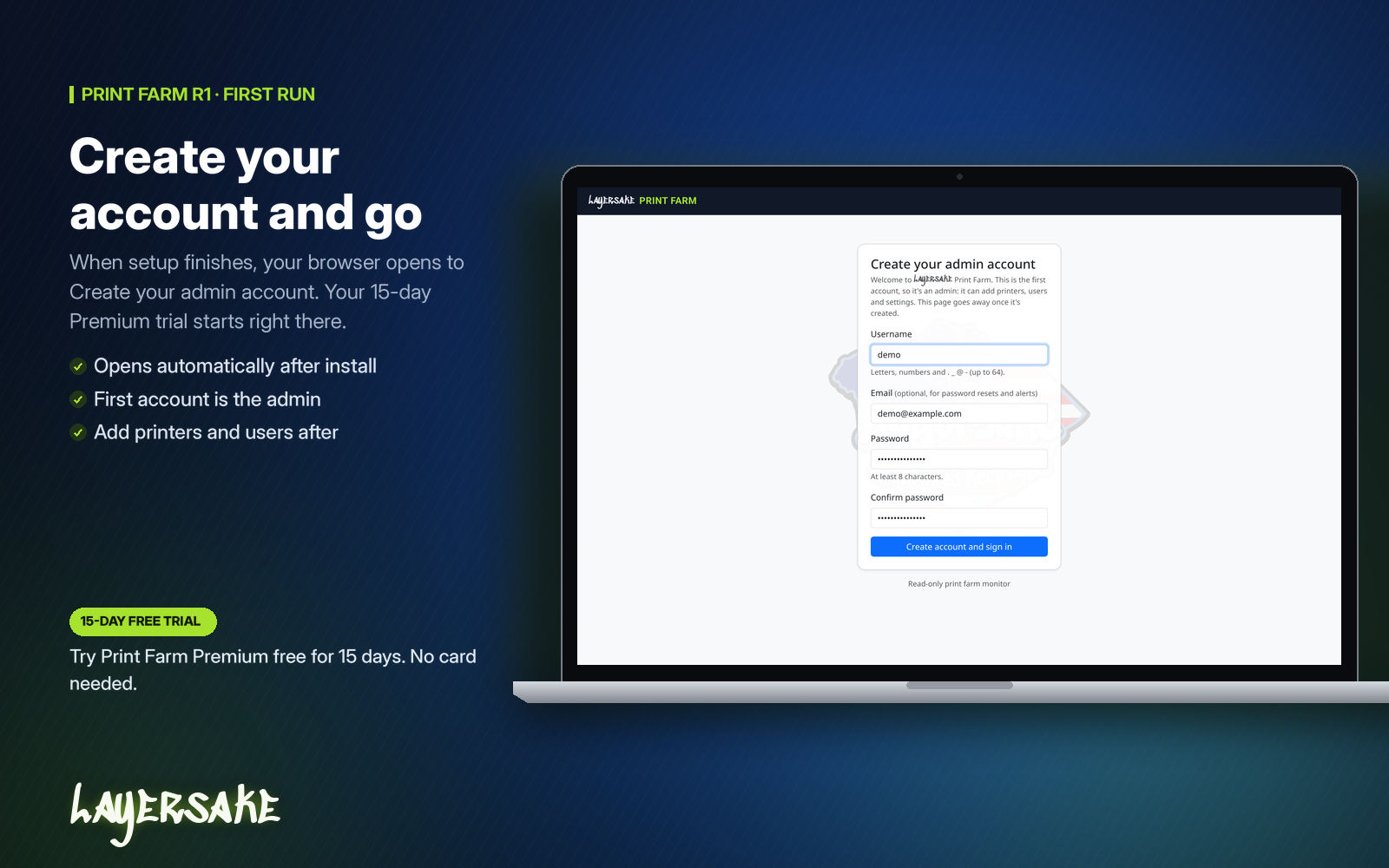
R1 brings the web dashboard to Windows with a guided, one-click install.
Files, summaries and integrations that round out the shop.
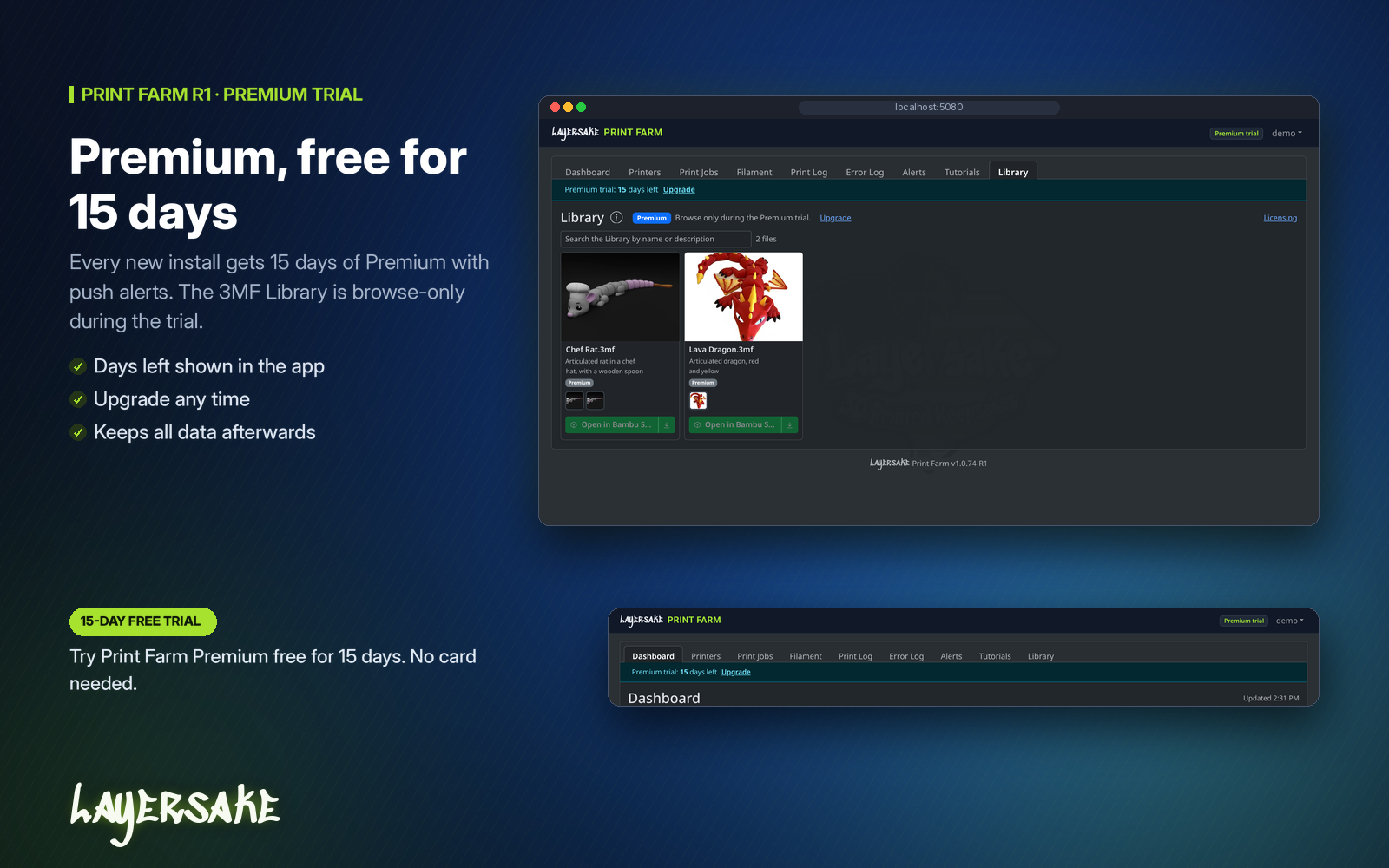
Keep your 3MF files in the Library and open them in Bambu Studio from the dashboard. Premium is what lets you download, print and sell prints of Layersake 3MF Library files.
Connect the farm to the rest of your business. Jobs, printers and status can be read and managed from your own tools.
See what the farm got done each day and each week.
Review printer errors in one place, and get your team up to speed with built-in tutorials.
GETTING STARTED
iPHONE APP
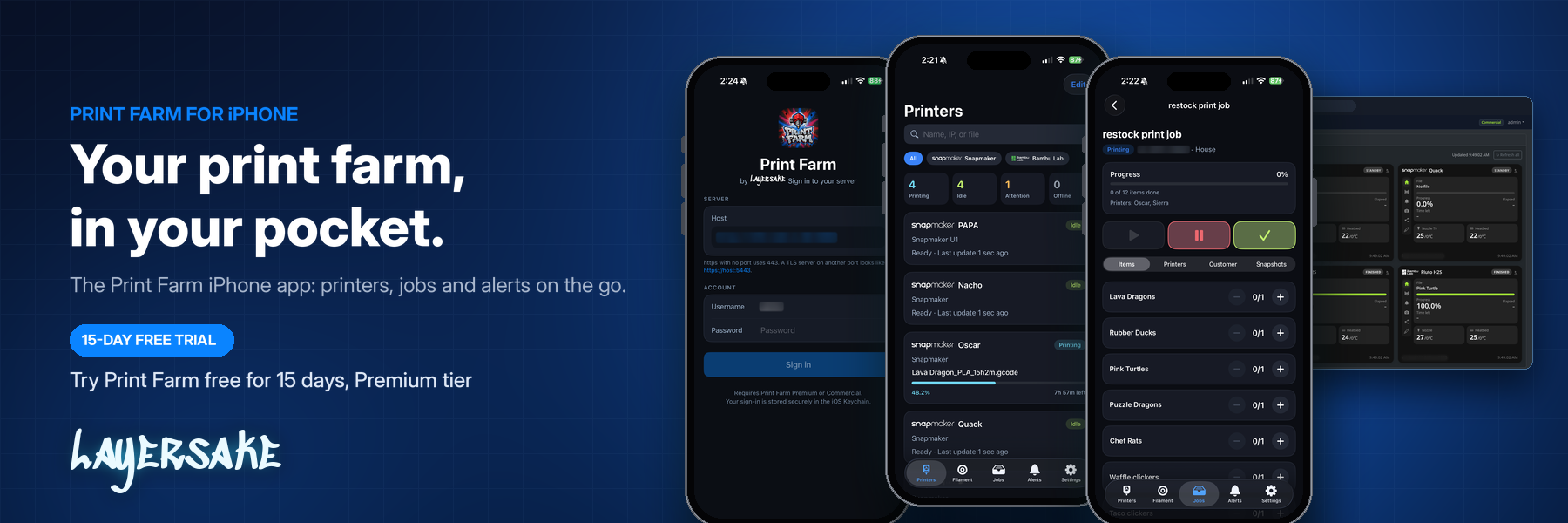
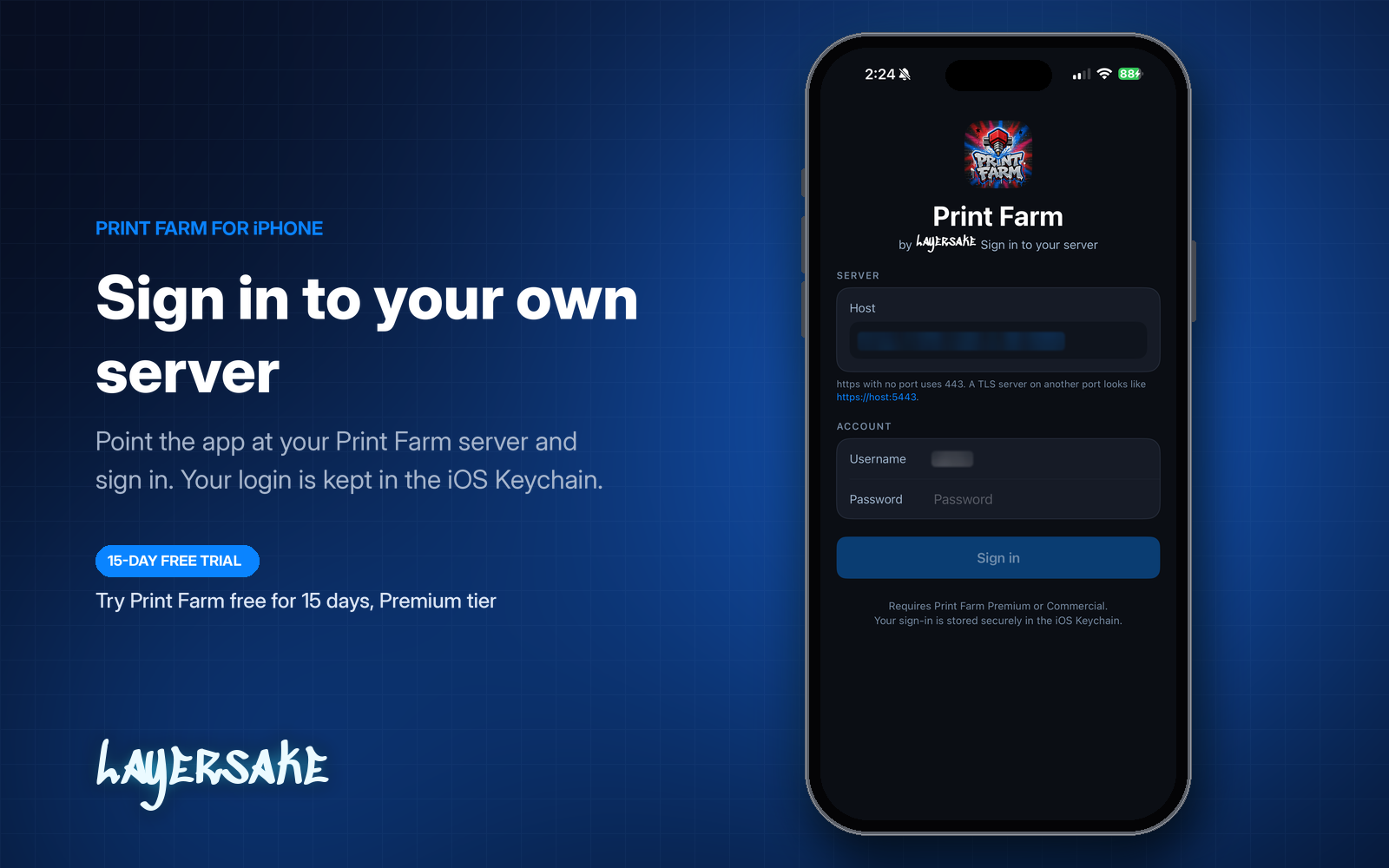
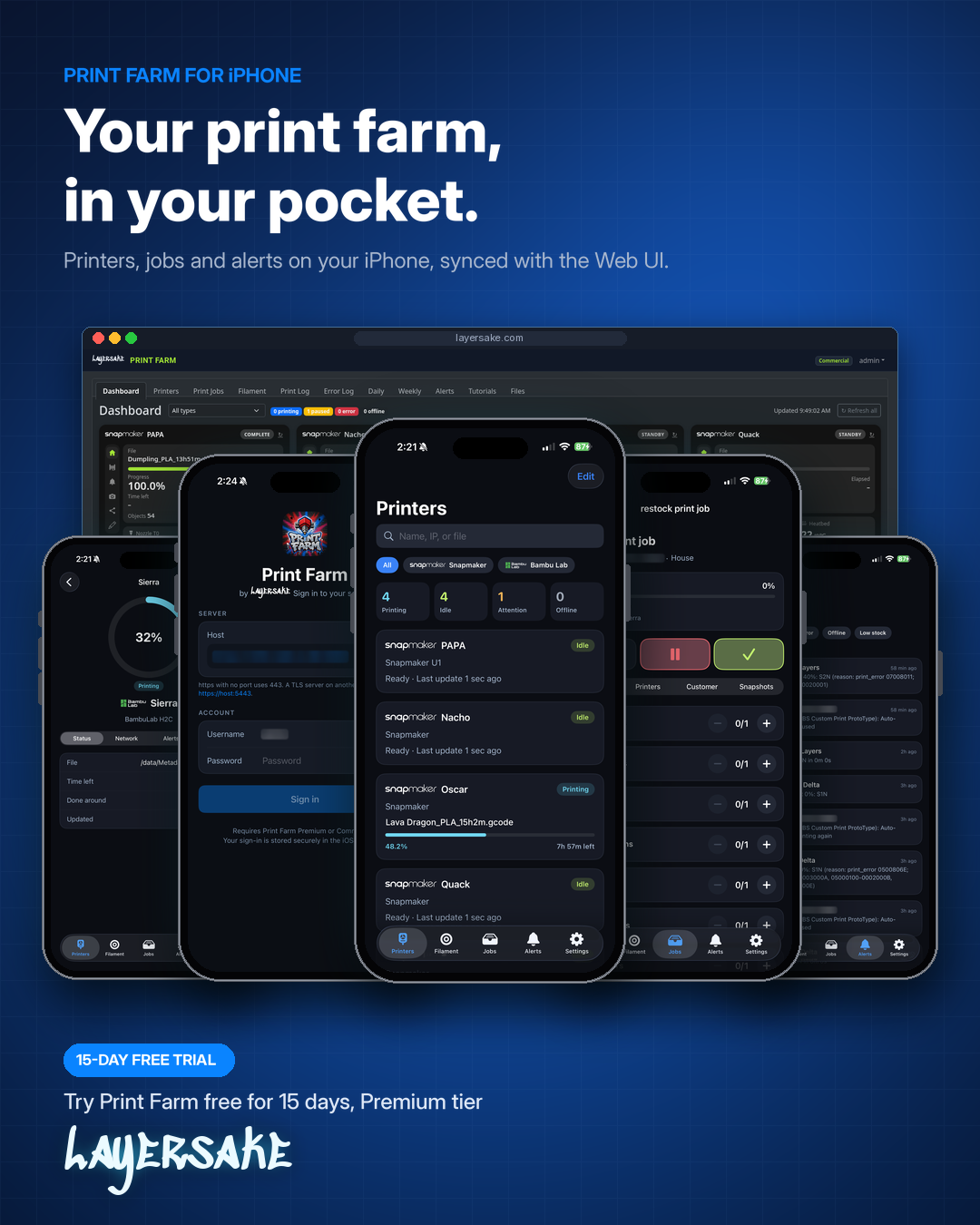
Manage your whole print farm from your phone. Check printers, run jobs and get alerts from your iPhone, in sync with the web dashboard.
NO CARD NEEDED
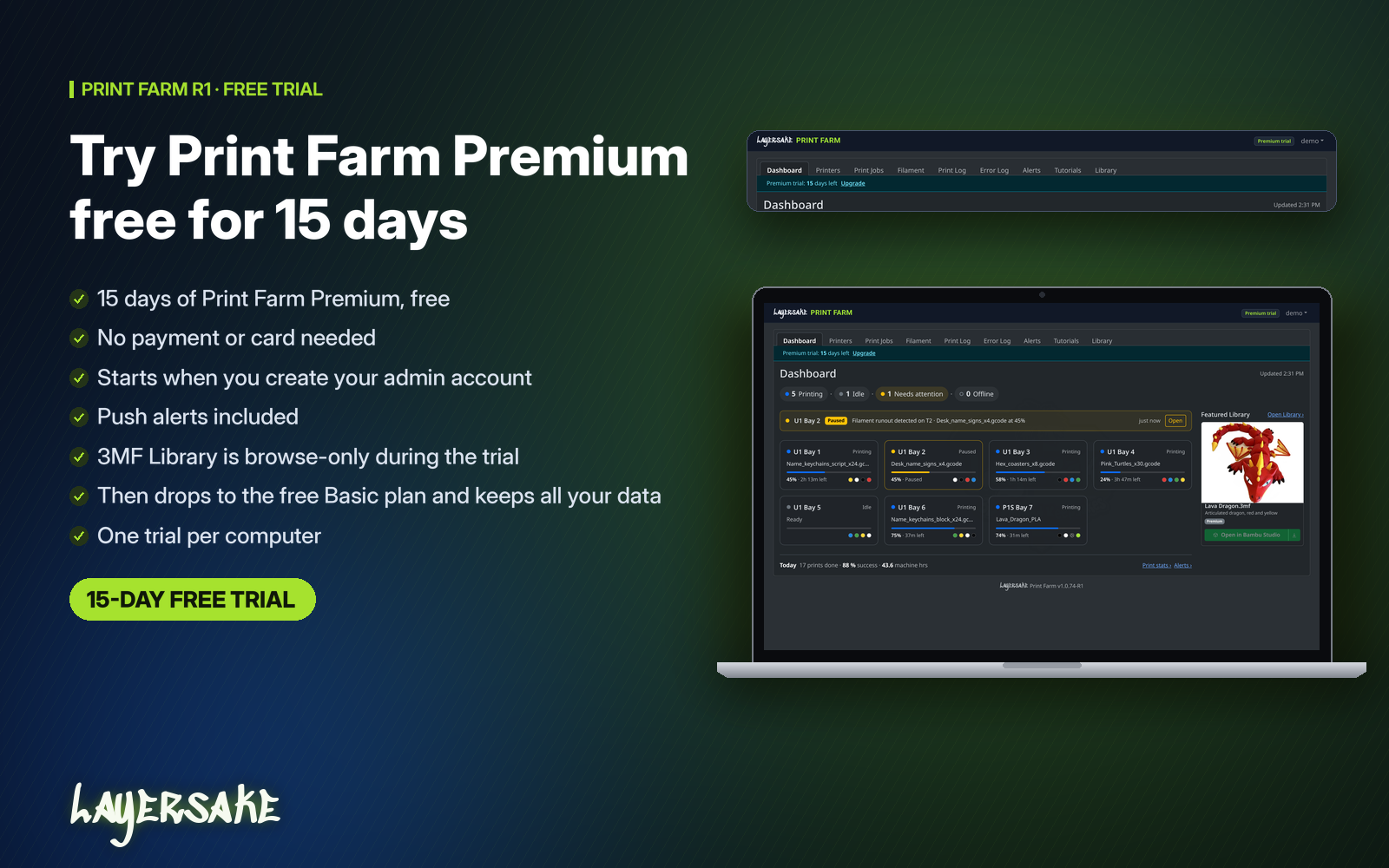
Try Print Farm free for 15 days, Premium tier. Every new install starts with the full Premium experience, including push alerts and the iPhone app.
Read the Print Farm FAQ → · See Commercial License options →
Want to see Layersake Print Farm in action, or find out if it fits your farm? Try the live demo or get in touch and we will walk you through it.
Questions? Get in touch.
Layersake LLC · 214 S Main St, Woodruff SC 29388